Welcome banner
Greets the user by first name with the sub-account name, the date, a live clock and quick links, as a gradient, photo, glass or minimal band.
L2 Dashboard designs
18 designs with a welcome banner, a live clock, quick links and chart colours in your brand. The first screen after sign-in finally looks like it belongs to the clinic.
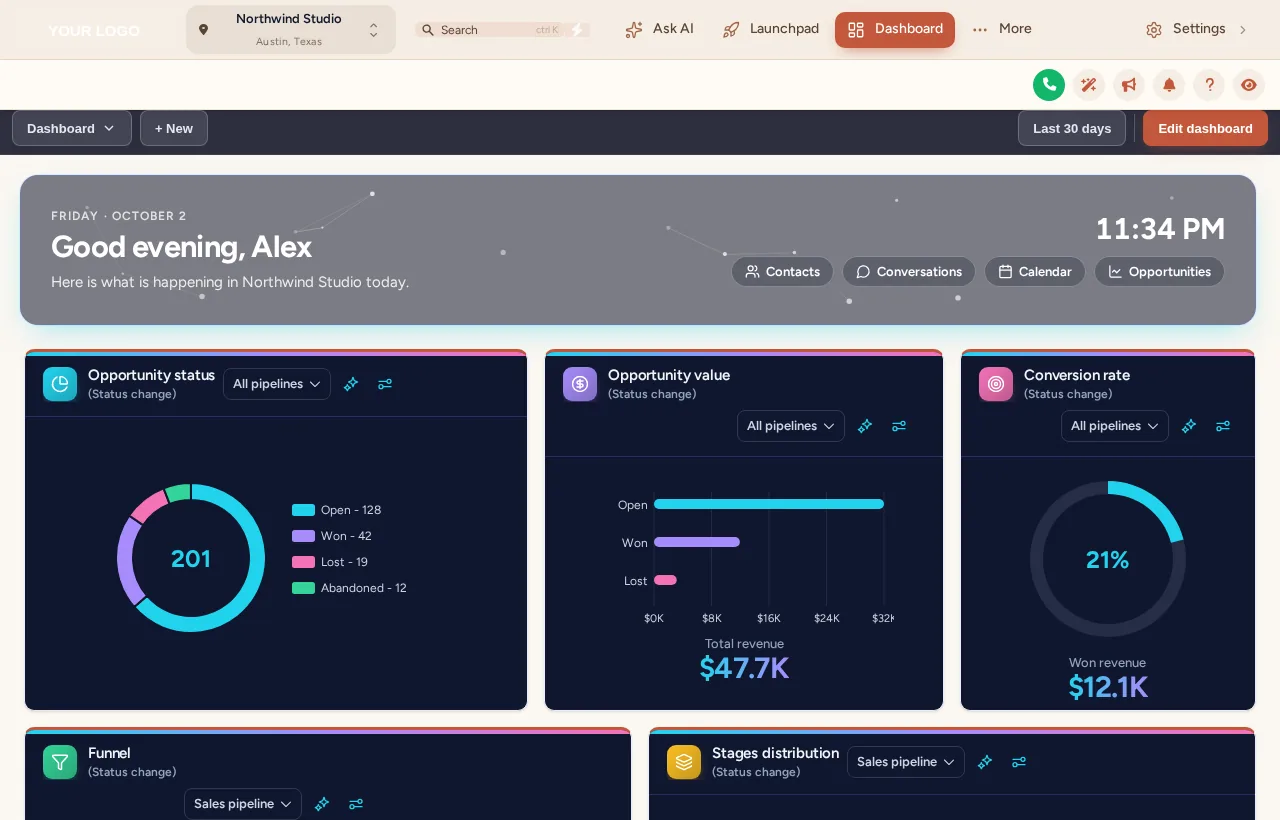
A GoHighLevel custom dashboard design restyles the sub-account start page without touching its data. The account includes 18 designs (9 light, 3 dark, 6 photo) with a welcome banner, live clock, quick links, styled widget cards and branded chart colours.
Greets the user by first name with the sub-account name, the date, a live clock and quick links, as a gradient, photo, glass or minimal band.
6 designs are built around a photo. Swap in a picture of your clinic and set how much shade keeps the text readable.
Background, border, radius, shadow and hover for every widget, with frosted glass, an accent stripe or a coloured header band.
Charts take colours by position, first status first, so they suit any pipeline whatever its stages are called.
9 light, 3 dark and 6 photo designs, with the filter bar styled to match.
Every design is editable: colours, background style, pattern, particles and spacing, previewed as you go.
Grouped into light, dark and photo. It opens on Midnight Neon; the clock is live, and the theme option shows how the design sits with different menus.
Loading the live preview
Midnight NeonEach option is one of the real dashboard templates applied to a copy of the GoHighLevel dashboard. The clock is live and the chart colours belong to the design.
| Design | Look | Style |
|---|---|---|
| Aurora Glass | Frosted cards on a soft colour mesh | Light |
| Midnight Neon | Deep navy, glowing edges, neon charts | Dark |
| Clean Bento | Big rounded tiles, bold numbers, no clutter | Light |
| Sunset Warm | Cream canvas, warm gradient accents | Light |
| Ocean Pro | Corporate blue header bands, crisp cards | Light |
| Emerald Finance | Money-green accents, calm and clear | Light |
| Obsidian Gold | Black and gold, premium feel | Dark |
| Candy Pastel | Soft pastel mesh, friendly and light | Light |
| Brand Match | Built from your primary colour | Light |
| Slate Minimal | Flat, bordered, quiet and precise | Light |
| Neo Brutal | Thick outlines, hard shadows, loud colour | Light |
| Cyber Grid | Dark grid, cyan and magenta light | Dark |
| Northern Lights | Aurora photo, dark glass cards, twinkling stars | Photo |
| Pastel Sky | Dreamy cloud photo, frosted white cards | Photo |
| City Nights | Skyline hero, midnight cards, connected particles | Photo |
| Lagoon | Turquoise water hero, fresh teal and white | Photo |
| Golden Hour | Sunset mountain hero, warm cream and amber | Photo |
| Liquid 3D | Sculpted 3D hero, peach and coral | Photo |
Before the first adjustment, someone opens GoHighLevel to check the schedule and overnight messages. A dashboard that greets them, shows the time and links straight to Calendar and Conversations shortens that first minute of every day.
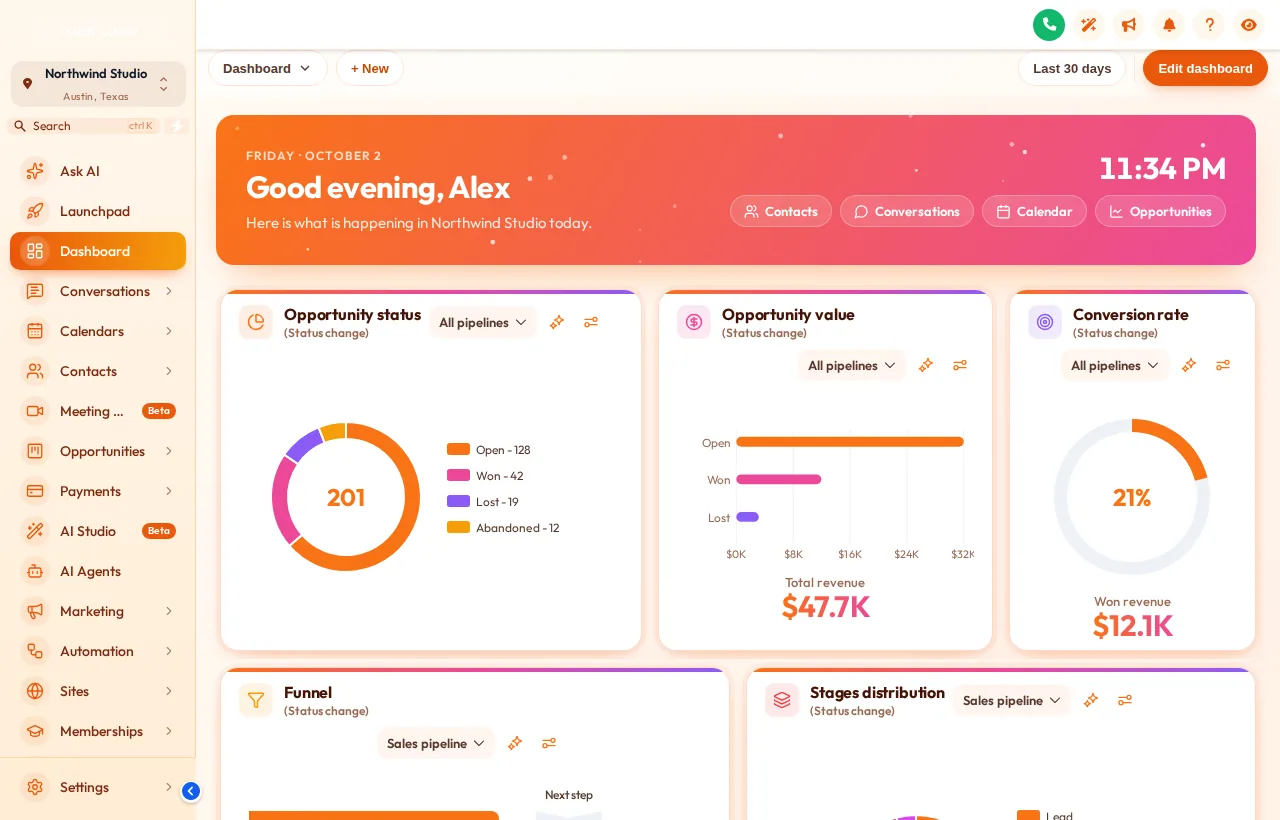
Switch on the dashboard restyle and click any of the 18 templates.
Set the greeting and subtitle, choose quick links such as Calendar and Conversations, and add a clinic photo if the design uses one.
Keep the template colours or build them from the clinic palette.
Every sub-account dashboard picks up the design on its next page load, through the line you already installed.
A restyle of the sub-account dashboard: a welcome banner with live clock and quick links, styled widget cards, branded chart colours and an optional photo or particle background. Your widgets and their data stay as GoHighLevel provides them.
18: 9 light, 3 dark and 6 photo-based, all included from Adjustment Plus.
No. It changes presentation only. The widgets, filters and figures are GoHighLevel’s own.
Yes. The welcome banner uses the signed-in user’s first name and the sub-account name, with the date and a live clock.
Yes. Photo designs accept your own image, and an overlay setting keeps the banner text readable.
Chart colours are assigned by position rather than by stage name, so they fit any pipeline in any sub-account.
Yes. The dashboard design sits on top of your theme, so the menu and header keep their look. Use the Theme option in the preview to see a few combinations.
The saved design applies across the sub-accounts where your code runs, so every clinic gets a consistent start page.
Adjustment Plus ($467 once) and above, together with menus, pipeline boards and contact actions.
All 18 dashboard designs, with menus, pipeline boards and contact actions, come with Adjustment Plus for $467 once.
GHL Chiropractor Snapshot is an independent business. GoHighLevel and HighLevel are trademarks of their owner; we are not affiliated with or endorsed by HighLevel. GHL Customizer accounts run on the GHL Customer Care customizer platform. Screens on this page are our own captures of sample data, not real patient or client records.
Manage how we use cookies. Necessary cookies keep the site working and can't be turned off.
Saved on this device. Press Esc to close.